User Interaction & Social Features
Overview
SkillHub provides a rich set of social features that allow team members to interact, share, and recommend skill packages.
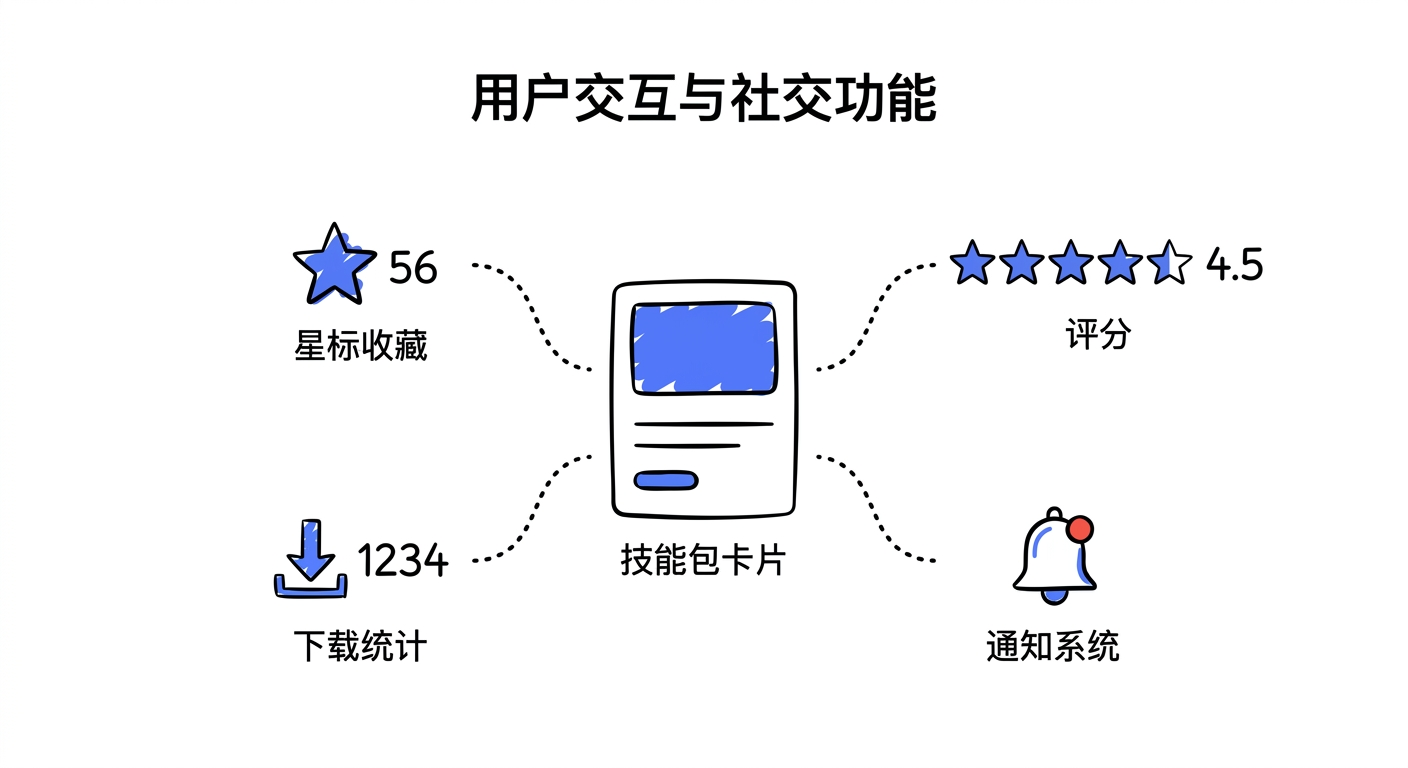
Core Features:
- Star: Bookmark your favorite skill packages for easy access later
- Rating: Rate skill packages (1-5 stars) to help others assess quality
- Download Statistics: Track download counts to highlight popular skill packages
- Notification System: Receive timely notifications for review results, comment replies, and more
Social Metrics:
| Metric | Description |
|---|---|
| Star Count | Number of users who have bookmarked the skill package |
| Average Rating | Mean score across all user ratings |
| Download Count | Total number of downloads |
| Activity | Last updated time, release frequency |
Use Cases
Case 1: Bookmarking Frequently Used Skill Packages
A developer finds a useful skill package and clicks the star button to bookmark it.
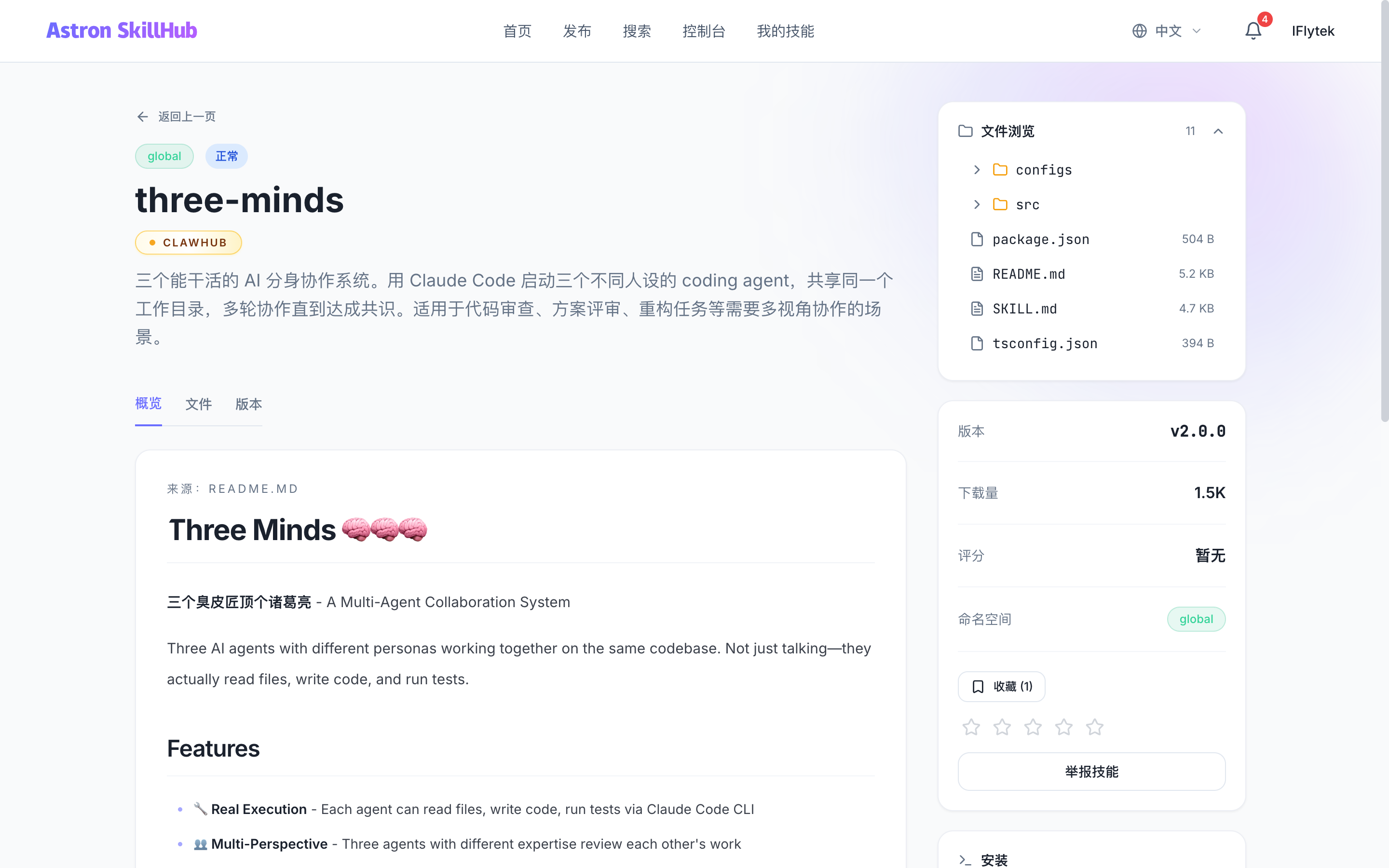
Case 2: Rating and Recommending
After using a skill package, a developer gives it a rating and review to help other team members.
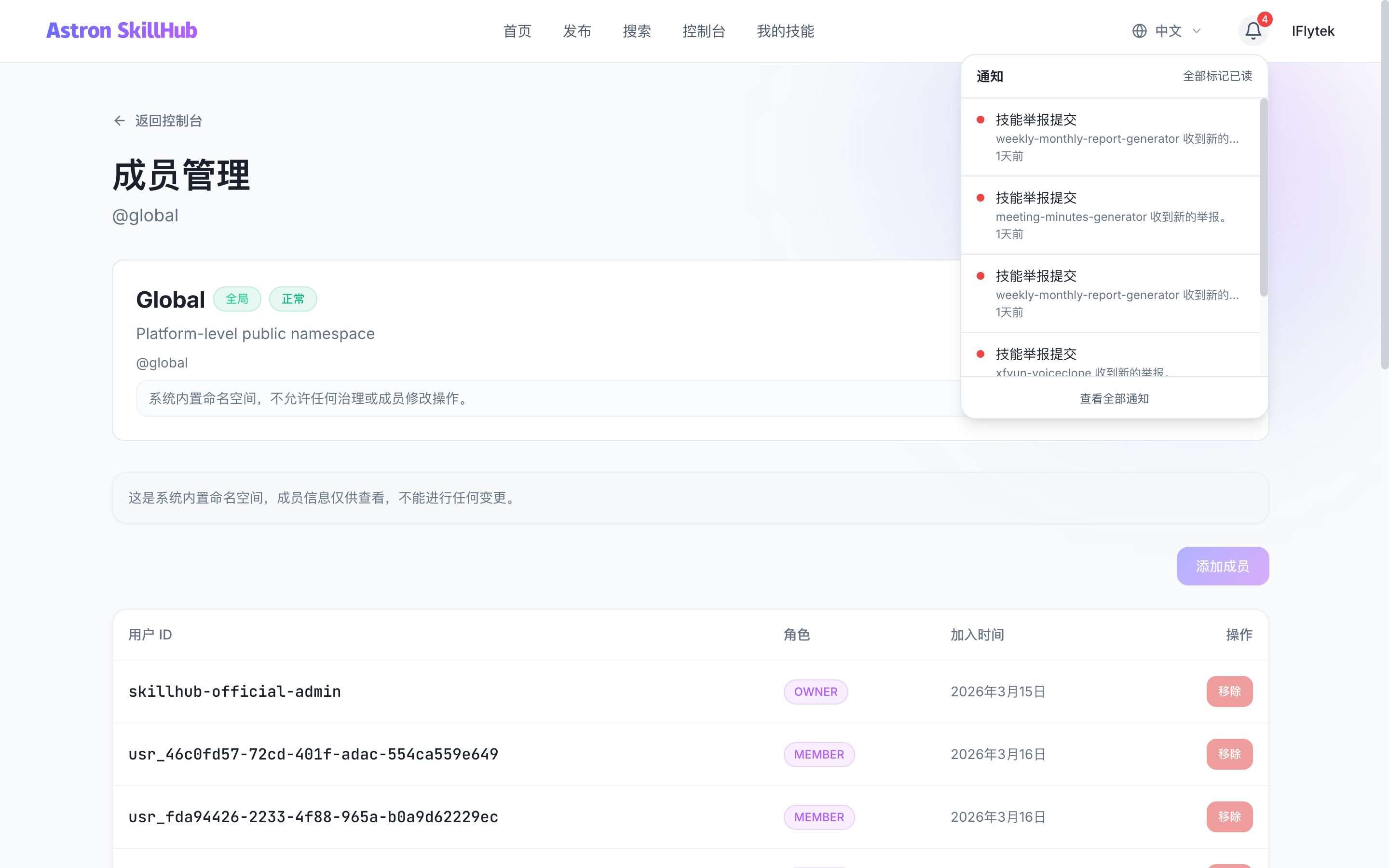
Case 3: Viewing Notifications
A developer receives a notification that their submission has been approved, or someone has commented on their skill package.
Case 4: Browsing Popular Skill Packages
View skill packages with the most stars and highest ratings to discover best practices.
Step-by-Step Guide
Starring a Skill Package:
- Navigate to the skill package detail page
- Click the "Star" button
- The skill package will appear in your "My Stars" list
- Click again to unstar
Rating a Skill Package:
- Navigate to the skill package detail page
- Click the star icons to select a rating (1-5 stars)
- The rating takes effect immediately and impacts the skill package's average rating
- You can update your rating at any time
Writing a Review:
- Select "Write a review" on a published skill's detail page
- Choose 1-5 stars and enter up to 2,000 characters
- You can edit or clear the text; clearing it keeps the star rating and remains available if the skill is later unpublished
- A review hidden by an administrator stays hidden after author edits and becomes public only after an administrator restores it
Viewing Notifications:
- Click the notification icon in the top navigation bar
- View the list of unread notifications
- Click a notification to navigate to the relevant page
- Mark as read or mark all as read
The notification list and unread count refresh through ordinary HTTP requests every 10 seconds and immediately when the window regains focus. The legacy GET /api/v1/notifications/sse endpoint has been removed. Custom clients should poll GET /api/v1/notifications and GET /api/v1/notifications/unread-count instead.
Viewing My Stars:
- Navigate to
/dashboard/stars - View all starred skill packages
- Sort by star date or last updated date
- Quickly access frequently used skill packages
API Reference
Star a Skill Package:
PUT /api/v1/skills/{skillId}/starUnstar a Skill Package:
DELETE /api/v1/skills/{skillId}/starCheck Star Status:
GET /api/v1/skills/{skillId}/starResponse Example:
{
  "starred": true,
  "starredAt": "2026-03-15T10:30:00Z"
}
Rate a Skill Package:
PUT /api/v1/skills/{skillId}/rating
Content-Type: application/json

{
  "score": 5
}
Parameter Reference:
| Parameter | Type | Description |
|---|---|---|
| skillId | string | Skill package ID (path parameter) |
| score | number | Rating (1-5, required) |
Get My Stars:
GET /api/v1/me/stars?page=0&size=20Get My Rating:
GET /api/v1/skills/{skillId}/ratingReview APIs:
# Public review list
GET /api/v1/skills/{skillId}/reviews?page=0&size=20

# Read, create, or update the current user's review
GET /api/v1/skills/{skillId}/reviews/me
PUT /api/v1/skills/{skillId}/reviews/me

# Clear review text while retaining the star rating
DELETE /api/v1/skills/{skillId}/reviews/me

# SKILL_ADMIN or SUPER_ADMIN moderation
POST /api/v1/admin/skill-reviews/{reviewId}/hide
POST /api/v1/admin/skill-reviews/{reviewId}/restore
Response Example:
{
  "score": 5,
  "ratedAt": "2026-03-15T10:30:00Z"
}
Notes
Rating Rules: Each user can rate each skill package only once. Ratings can be updated but not deleted.
Review Rules: Only published skills can be reviewed, and the public list contains visible reviews only. Refresh and retry after a concurrent-update conflict.
- Star Count: A skill package's star count is displayed in search results and on the detail page
- Average Rating: A skill package's average rating affects search ranking
- Notification Settings: Users can disable certain notification types in their settings
- Download Statistics: Each download increments the download counter, which is used for popularity ranking